Import Entries
You can import entries from an external source rather than typing them in. The options are:
- Excel / CSV
- RC Race Pal
- RC Signups
- Joomla Event Booking
Duplicate entries (the same name, or the same transponder used in the same class) are marked red in the preview list. Fetched entries can be edited in the table before you continue.
Excel / CSV
Import entries from a spreadsheet or CSV — handy if you collect entries through Google Forms or any system that exports to a spreadsheet.
Expected columns are Name, Transponder and Class. You can also import multiple classes for one person in a single row:
Name, Class 1, Transponder 1, Class 2, Transponder 2, Class 3, Transponder 3
- Column order doesn't matter and extra columns are ignored.
- Column names are not case-sensitive.
- Name may be
name, or aFirst Name/Last Namepair (alsoGiven Name/Surname) which are combined. - Class may be
classordivision. - Transponder may be
transponderortx, and must be a whole number.

Not the same as the Contestant Roster
This imports who's racing this event. To bulk-load your club's reusable driver list (a different spreadsheet format), see the Contestant Roster.
RC Race Pal
rcracepal.com manages events and club memberships, and lets racers manage their own transponders and assign them to classes for reuse.
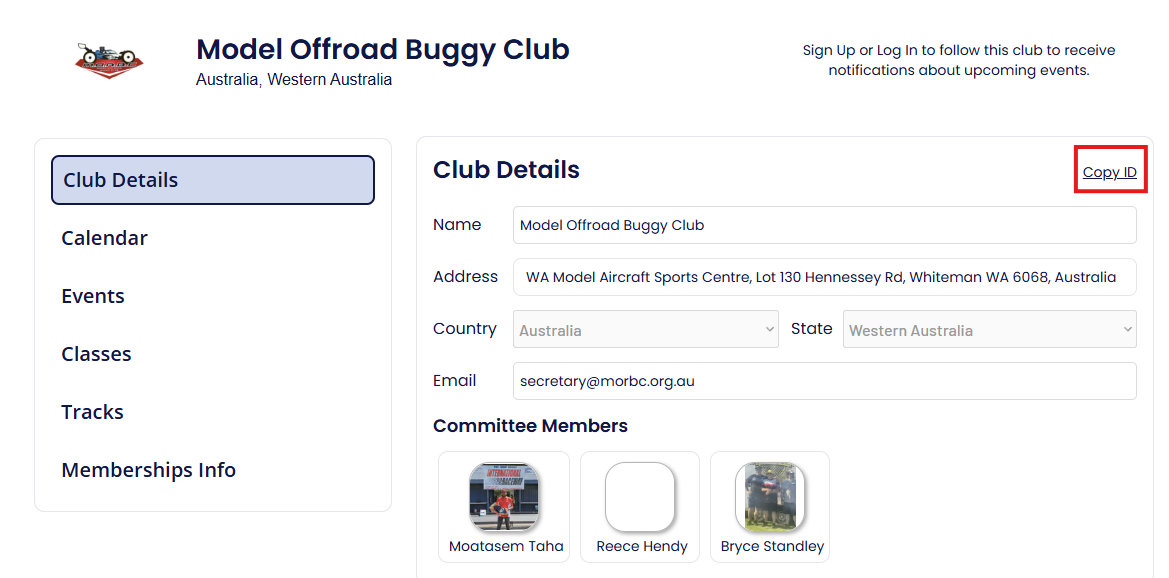
On your club page in RC Race Pal, copy the club ID:
In Sensible Laps, choose RC Race Pal from the drop-down and paste the club ID into the box:

RC Signups
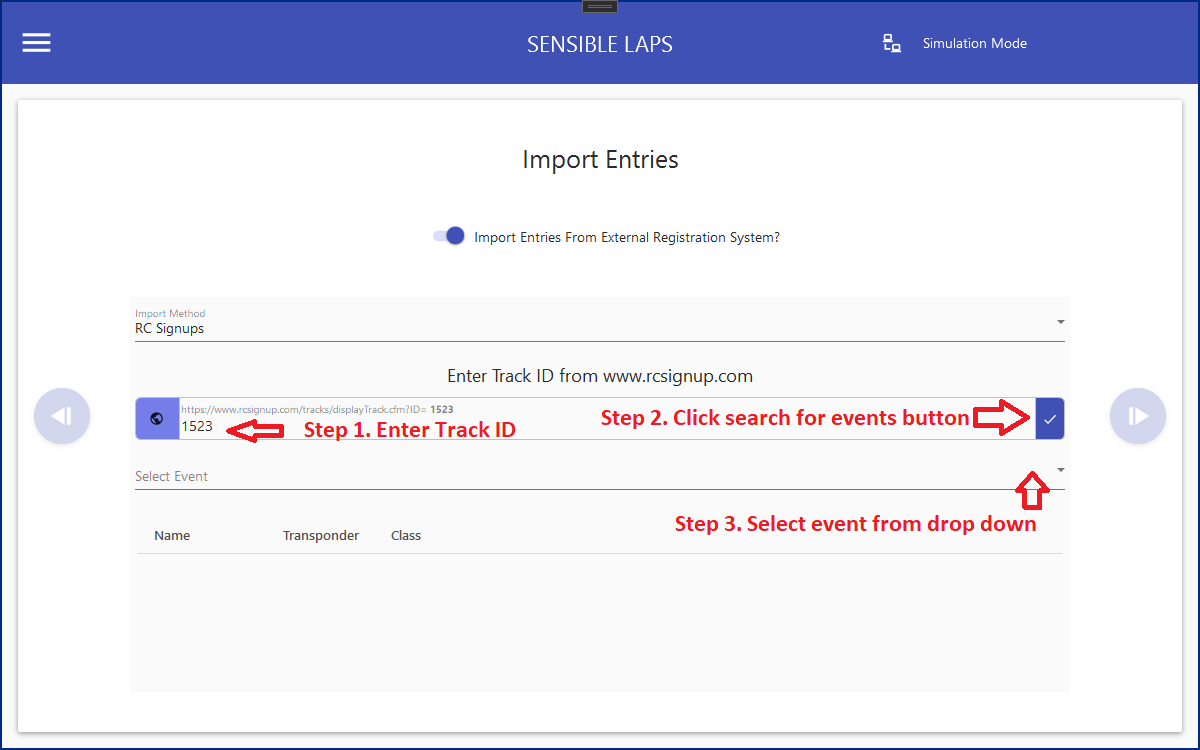
rcsignups.com lets entrants sign up online. Enter the track ID and click Get Events.
Joomla Event Booking
The same as RC Signups, but instead of a track ID enter the URL of the club's hosted Joomla events page.
